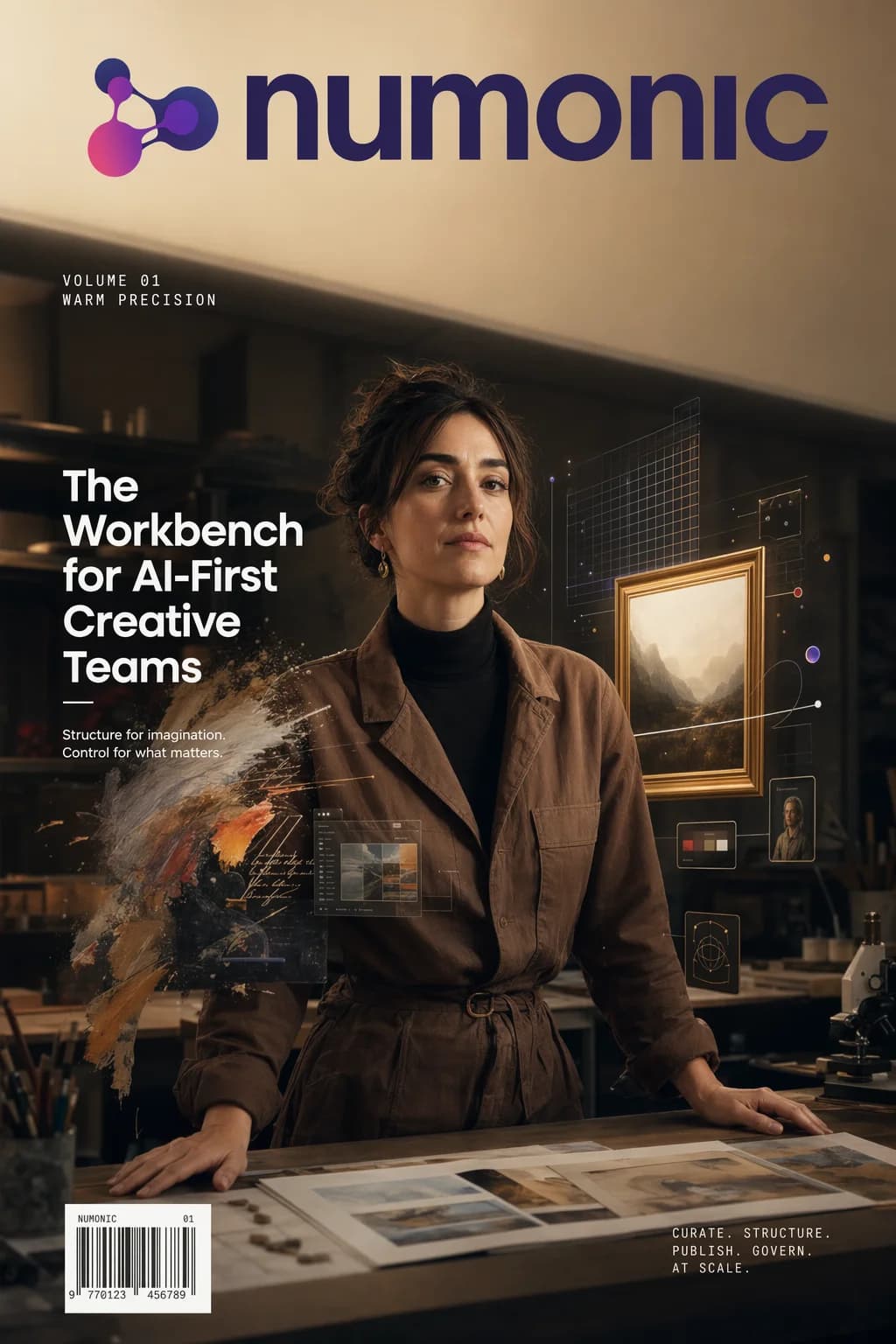
OpenAI shipped GPT Image 2 on April 21, 2026. I tried it this morning in ChatGPT and was disappointed with the lack of metadata. Then this evening, Comfy Cloud announced it as a partner node! So I immediately generated the Numonic Volume 01 cover above in a single pass (took 3 re-rolls until I was happy) — masthead, cover lines, barcode, and logo and font. That has never worked before in any image model so well and so quickly. The reason it works now is that GPT Image 2 runs a reasoning step before it touches a pixel: it plans the composition, checks its work, and iterates. This guide walks through what the model actually is, how to reach it from ComfyUI, real credit and timing data from Comfy Cloud, the three capabilities that will reshape production pipelines this month — and the metadata problem every studio using it needs to solve in the next 102 days.
Part of our The Complete Guide to ComfyUI Asset Management
What Is GPT Image 2?
GPT Image 2 is OpenAI’s first reasoning-powered image model, announced April 21, 2026. The architectural distinction isn’t incremental. Every prior image model—Stable Diffusion variants, FLUX, Midjourney, Nano Banana 2—treats image generation as a sampling problem: the model reaches for a distribution of plausible pixels and commits. GPT Image 2 reframes generation as a planning problem. Before the pixels, there is a thinking pass: the model plans the composition, checks its work against the prompt, and iterates.
That matters because the things image models have historically broken on—dense text, small UI elements, iconography, infographics, maps, slides, comic and manga panels—are all cases where a sampled guess is worse than a planned layout. You cannot sample your way into a seven-item bulleted list in 11pt Helvetica, centred. You have to plan it. The Volume 01 cover at the top of this article has a masthead wordmark, two cover lines, a volume identifier, and a barcode. Every character renders as written. The previous generation of models would have produced glyph soup at least once per element.
The three capabilities OpenAI is leading with: native 2K output, targeted image edits that preserve everything outside the edit zone, and up to eight consistent images from a single prompt. I’ll show each of those with real output from this morning’s testing. None of them are marketing. All three change what a production pipeline can assume.
Setting Up GPT Image 2 in ComfyUI
GPT Image 2 is available immediately as a ComfyUI Partner Node. There are two pathways depending on whether you run your own ComfyUI instance or use Comfy Cloud.
Pathway A: Comfy Cloud (recommended)
The lowest-friction option. Comfy Cloud has an official OpenAI partnership exposing GPT Image 2 as a first-class node with no installation, no API key management, and billing handled through your Comfy Cloud account. Open a new workflow, search the Node Library for OpenAI GPT Image 1.5 (the node is named after the family; select the gpt-image-2 model inside it), drop it on the graph, wire it to a Save Image node, and generate. That’s the entire setup.
Pathway B: Self-hosted ComfyUI
Update ComfyUI to v0.19.4 or later. The OpenAI Partner Node ships in the stock node library; no custom node installation is required. Supply your OpenAI API key via .env or the ComfyUI credentials manager. Select the gpt-image-2 model in the node’s model dropdown. Billing runs through your OpenAI account at OpenAI’s list API rates; Comfy Cloud’s credit pricing is separate.
A note on the node name. The Partner Node umbrella is labelled “OpenAI GPT Image 1.5” in the Node Library for backward compatibility with the earlier release. The gpt-image-2 model is selected inside that node. Don’t let the label throw you off.
The Three Capabilities That Change Pipelines
1. Dense text and layout — the reasoning payoff
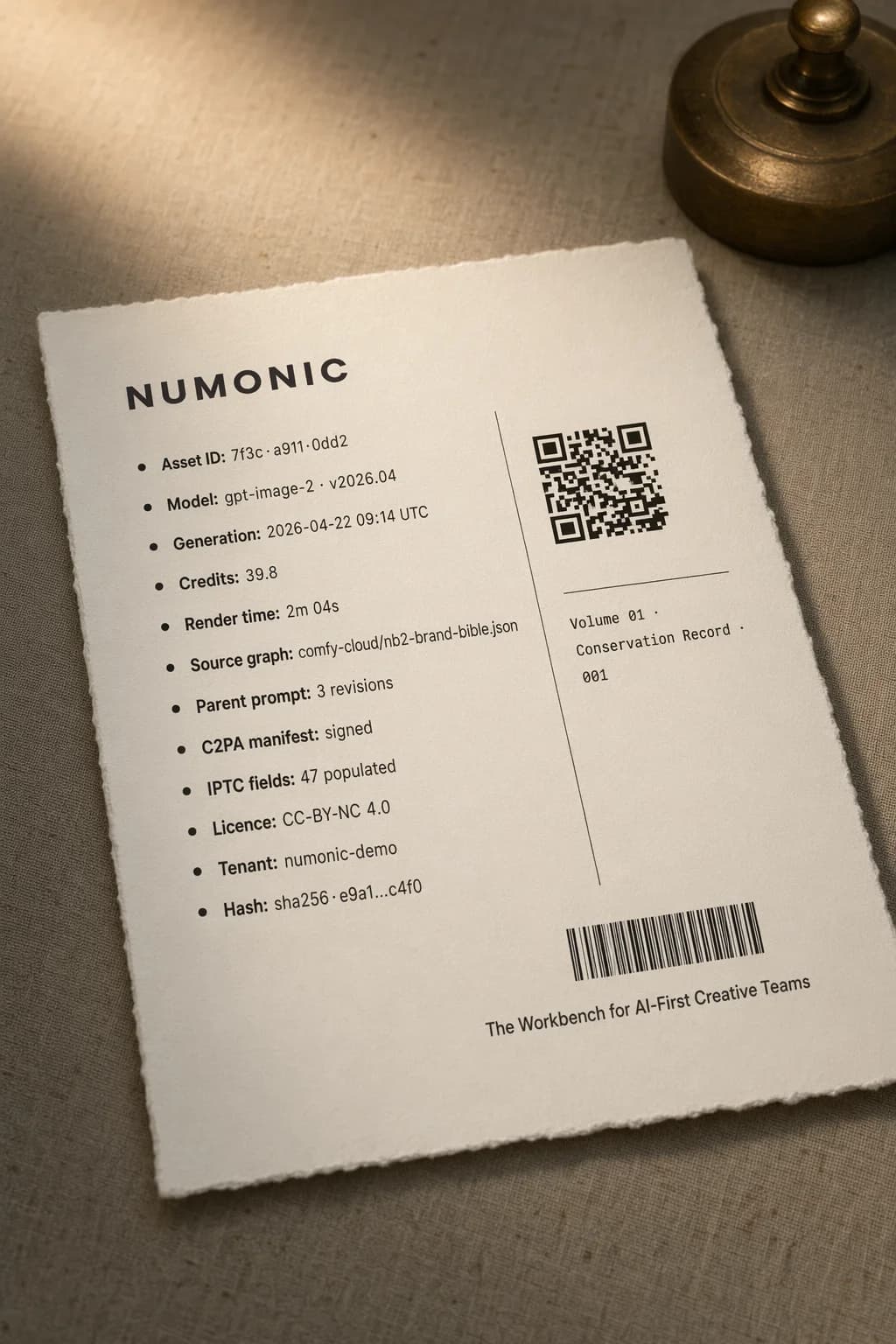
The spec sheet above is the clearest test I could think of: twelve rows of small-body typography, a scannable QR code, a barcode, and a caption in a second typeface. In a single generation pass, every character resolves legibly. That’s the reasoning step doing work. The model plans the typographic grid before committing pixels to it.
For production, this is the unlock agencies have been waiting on: poster layouts, social carousel cards with real copy, UI mockups, packaging comps, infographic hero frames, slide templates. Work that previously required a handoff to a designer for typesetting can now start inside the model. “Start” is the operative word—you’ll still hand off to a designer for final polish. But the zero draft is usable.
2. Edit fidelity — pixel-stable targeted changes
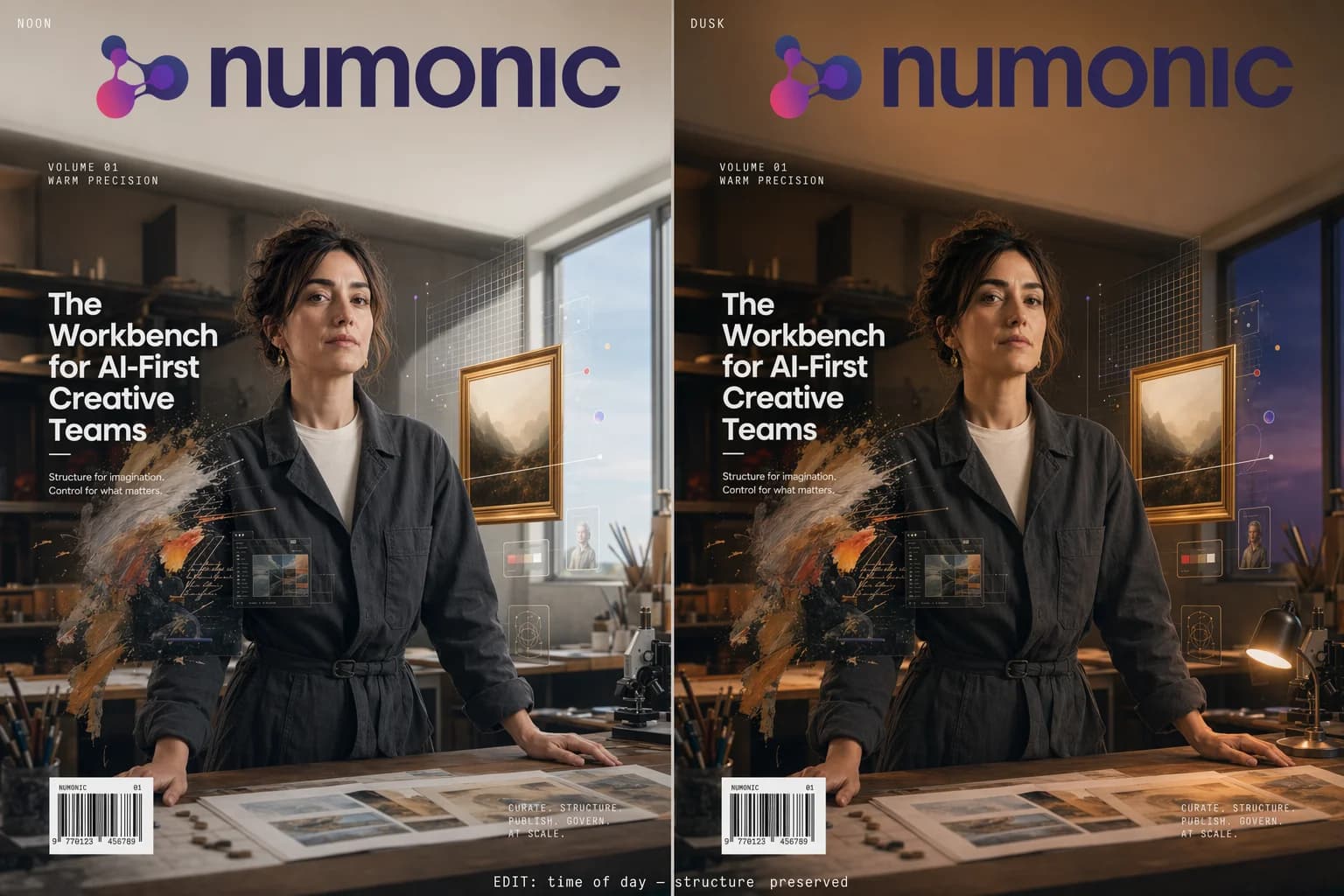
Edit-based workflows have been a structural weak spot in every prior image model. Small changes ripple outward: faces warp, composition drifts, the edit zone spreads into pixels the user never asked to touch. GPT Image 2 keeps everything outside the edit zone stable while applying the requested change cleanly at up to 2K.
The noon/dusk diptych below is the same portrait, same pose, same wardrobe, same composition—only the light shifts. Colorising a black-and-white photo or aging a product shot works the same way: targeted intent, no collateral damage to faces, geometry, or fine detail.
For retouching, archival restoration, and iterative creative direction—where a client says “same image, warmer light”—this is a meaningful workflow change. The loop tightens from regenerate-and-hope to edit-and-ship.
3. Eight consistent images from one prompt
GPT Image 2 can return up to eight distinct images from a single prompt while preserving character and object continuity across the series. Storyboards, reference sheets, character turnarounds, and product variants that used to require careful seed-locking, prompt gymnastics, and multiple re-rolls now come out of one node.
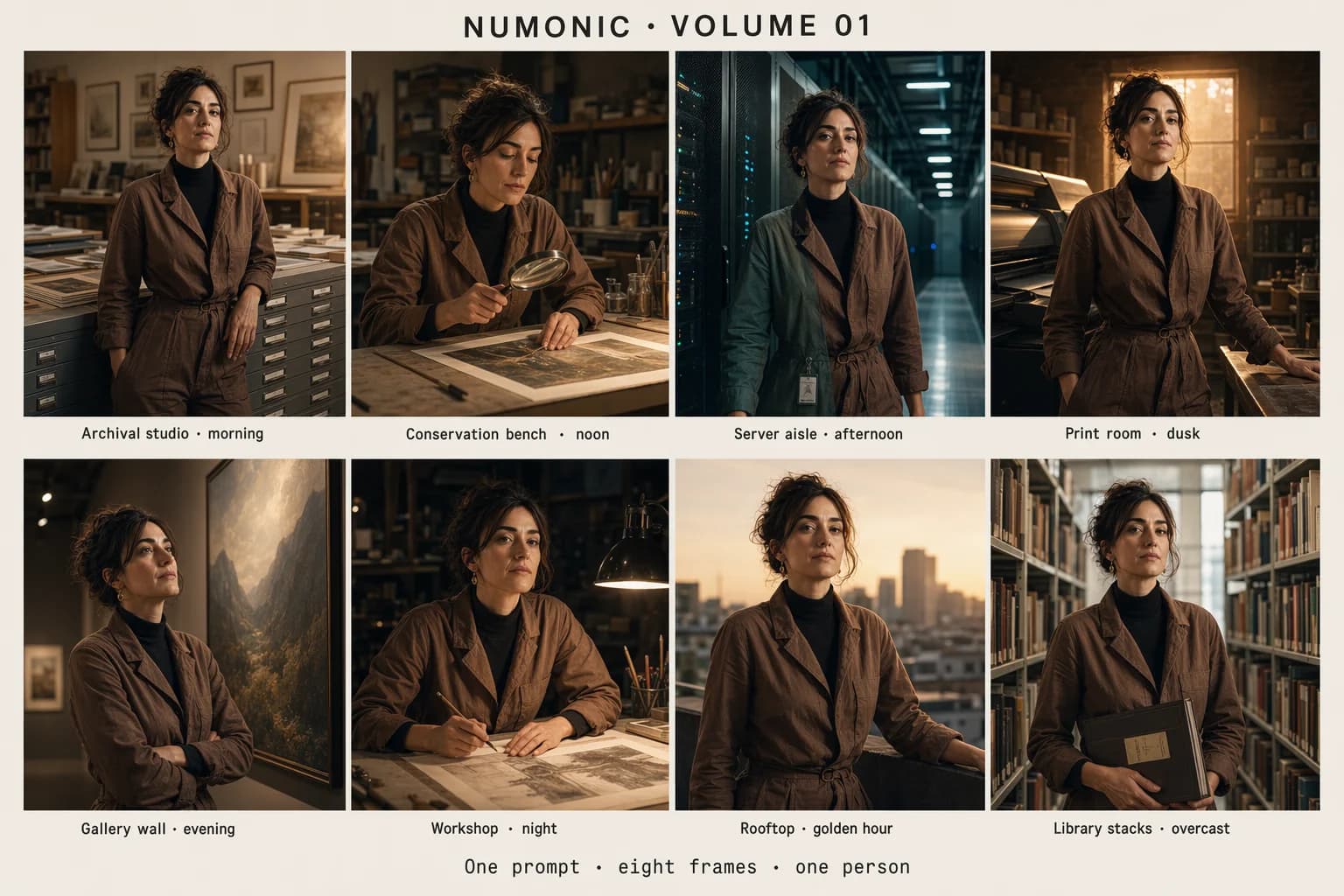
You can feed the batch straight into a Save Image loop, chain it into a video workflow, or pipe it into an upscaler node. For storyboard work, the consistency hold across eight contexts is what makes the feature usable. Small drift accumulates across scenes; GPT Image 2 doesn’t drift.
Real Cost and Timing Data (Comfy Cloud, Day One)
The number every studio is going to ask me about first: what does this cost per image. Here’s what I observed on Comfy Cloud the morning of April 22, across five generations at 2K:
| Workload | Credits | Time | Notes |
|---|---|---|---|
| Magazine cover (hero, dense typography) | ~40 | ~2 min | 2K, single pass, wordmark preserved |
| Spec sheet (dense text) | ~40 | ~2 min | 12 text rows, QR code, barcode all legible |
| Edit diptych (noon → dusk) | ~40 | ~2 min | Composition pixel-stable between panels |
| 8-image consistency grid (single prompt) | ~40 | ~2 min | One generation, eight frames |
Two things stand out. First, the per-generation cost is flat across workload types on Comfy Cloud’s current pricing —the reasoning step dominates, so the complexity of what you’re asking for doesn’t change the bill much. Second, the eight-image consistency case is a bargain: one generation, eight usable frames. For storyboard work, the effective per-frame cost drops to ~5 credits.
Compared to alternatives: Nano Banana 2 sits at ~14 credits for a comparable 2K image in ~40 seconds, with no reasoning pass. FLUX.2 [schnell] is faster still but can’t render dense typography. The right mental model: GPT Image 2 is the node you reach for when typography, targeted edits, or multi-frame consistency matter. It is not the node you reach for when you need 355 images per minute of mood exploration. That’s still a Nano Banana 2 or FLUX job.
Hybrid Pipelines: The Real Pattern
GPT Image 2 slots naturally into hybrid graphs. The pattern that’s going to emerge in the next few weeks: use it for the text-heavy hero frame, then hand off to local models for upscaling, stylisation, or video extension. That’s the point of Partner Nodes—the best model for each step, in one graph.
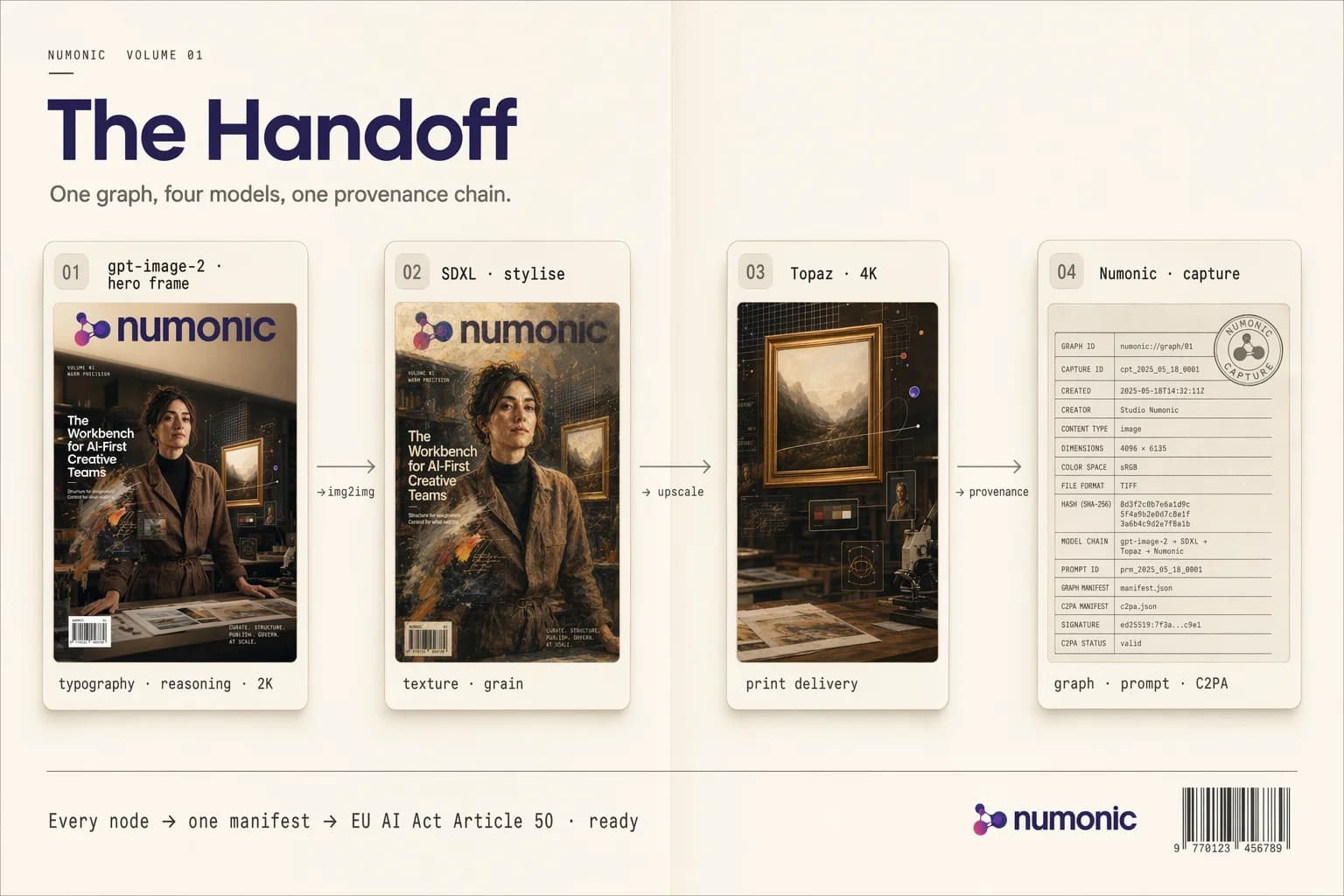
Three pipeline recipes worth trying immediately:
Typography hero → stylise → deliver. GPT Image 2 produces the text-heavy hero frame. Feed it into an SDXL img2img node for grain, texture, or painterly stylisation. Then a Topaz or similar upscaler for 4K print delivery. The reasoning pass gives you the typography you can’t get anywhere else; local models give you the stylistic fingerprint that differentiates your brand.
Storyboard → animate. GPT Image 2 generates eight consistent keyframes from a single prompt. Hand them to Kling 3.0 or a Seedance pipeline to interpolate motion. The character and style consistency that GPT Image 2 holds across the grid carries through into the animation.
Edit loop → client review. GPT Image 2 produces a base frame. Edit-node variations (warmer light, cooler tone, swap background element) are generated with the edit-fidelity feature. Client reviews with a single parent-child relationship intact across all variants. The “which version did we approve” problem becomes a lineage query, not a forensics exercise.
The Provenance Problem GPT Image 2 Just Made Louder
Every image in this article was generated with GPT Image 2 on April 22, 2026. Every one of them went directly into Numonic via Connected Folders. What was captured alongside each PNG: the full ComfyUI node graph, the prompt text, the model version, the credit cost, the generation timestamp, and the tenant workspace it belongs to. I didn’t do anything to make that happen. The capture is the default, which was not the case when prompting in ChatGPT this morning.
Here’s why that matters in the next 102 days.
GPT Image 2 has just made it economically rational to generate text-heavy marketing assets, client-facing UI comps, poster layouts, and brand collateral with AI. The volume is about to go up. Every one of those outputs is, from a regulatory perspective, a generated artefact that needs a disclosure chain. EU AI Act Article 50 obligations take effect August 2, 2026. Studios serving European clients will need to demonstrate which model, which prompt, which version, and which user produced each piece of content—retrievable, auditable, per asset.
ComfyUI embeds workflow metadata in PNG files. That’s necessary but not sufficient. Metadata locked inside individual files has no search, no organisation, no ability to answer “show me every asset generated with gpt-image-2 between 2026-04-22 and 2026-04-29 for client X, grouped by prompt family.” That’s the query an auditor will run. Folders of PNGs don’t answer it.
The capture needs to happen at the point of generation and land in a system where it’s indexed, searchable, and tenant-scoped from day one. Retrofitting provenance to 100,000 PNGs already scattered across three cloud drives in July 2026 is a project no studio should be planning.
Browse the Published Collection
Every GPT Image 2 output in this article, with complete ComfyUI workflows embedded in each PNG. Drag any image into ComfyUI to load the exact node graph that created it, including prompt, model version, and reference inputs.
Browse CollectionGo Deeper
The Complete ComfyUI Asset Management Guide
How to organise outputs from GPT Image 2, Nano Banana 2, FLUX, SDXL, and every other model that lands in ComfyUI — without losing the workflow that produced each one.
Read the guideAI-First DAM Architecture
The architecture pattern behind Numonic — why Data Vault 2.0, tenant isolation, and metadata capture at the node level matter for generative workflows.
Read the architecture briefKey Takeaways
- •GPT Image 2 is a reasoning-driven image model, not an incremental diffusion update—the planning pass before generation is what finally makes dense typography, targeted edits, and multi-frame consistency reliable.
- •First-day Comfy Cloud cost is ~40 credits and ~2 min per 2K generation—flat across workload types. The eight-image consistency case is effectively ~5 credits per frame for storyboard work.
- •The winning pattern is hybrid, not single-model—GPT Image 2 for the text-heavy hero, local models (SDXL, FLUX, Topaz, Kling) for stylisation, upscaling, and animation. Partner Nodes make this one graph.
- •Every output now needs provenance capture at generation time—EU AI Act Article 50 obligations take effect August 2, 2026. PNG-embedded metadata is necessary but not sufficient. You need it indexed, searchable, and tenant-scoped from day one.
- •Every image in this article is downloadable with full workflow metadata—browse the published collection and drag any image into ComfyUI to reproduce the exact graph.