Searchable Prompt Gallery
Every prompt extracted from your assets is collected in a browsable three-pane gallery. Each row shows the prompt text, a model badge, and thumbnails of every asset generated from that prompt.
Loading...
Prompt Library
Every prompt from your AI-generated assets, collected automatically in a searchable, filterable gallery. Browse by model, search with structured grammar, and see exactly which images each prompt produced.
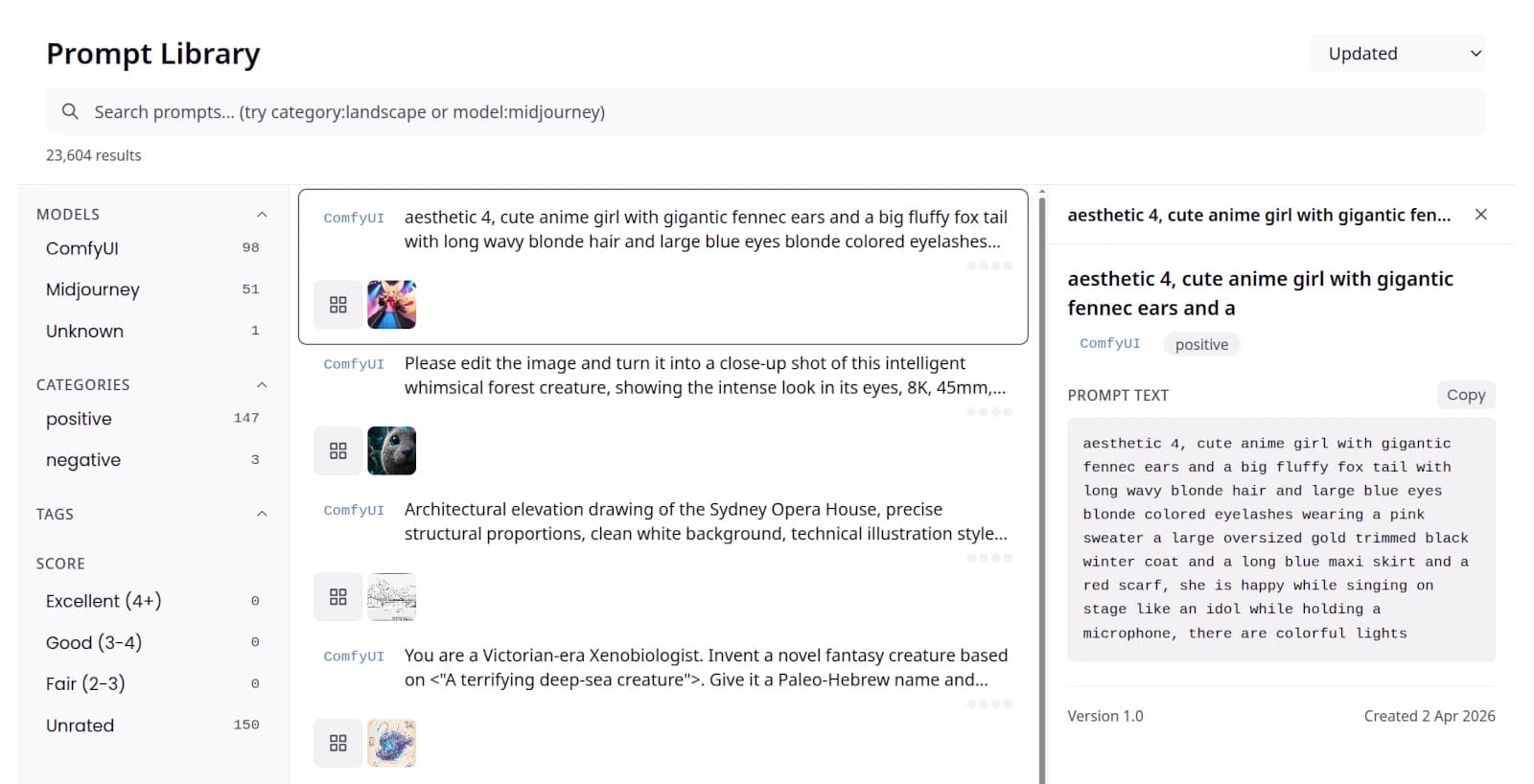
The Prompt Library: filter by model, browse prompts with asset thumbnails, and inspect the full text with version history.
Every feature listed here is live and working
Every prompt extracted from your assets is collected in a browsable three-pane gallery. Each row shows the prompt text, a model badge, and thumbnails of every asset generated from that prompt.
Find prompts by keyword or with structured queries like model:midjourney or category:landscape. Combine free-text search with precise grammar for exact results.
Narrow your library by AI model (ComfyUI, Midjourney) and category (positive, negative) using the facet panel. Live counts show how many prompts match before you click.
Select any prompt to open the detail inspector with the full text, a Copy button, version history, and creation date. See everything about a prompt in one place.
Every prompt tracks its version history with timestamps. See how a prompt evolved over time and jump to any previous version.
Each prompt row shows thumbnails of the assets it produced. Click any thumbnail to jump directly to that asset in the Gallery, or click the grid icon to see all matching assets.
The infrastructure is in place. These features are next.
Three strategies to improve any prompt: parameter sweep, semantic expansion, and negative prompt generation. Each optimization costs 3 AI credits and returns actionable suggestions.
Tag prompts manually or let the AI auto-tag them. Rate prompts across four quality dimensions and filter your library to surface only the highest-performing prompts.
Prompts are creative assets too
Stop losing your best prompts. Every prompt is automatically collected with thumbnails of the images it produced. Search your prompt history by model or keyword, copy what worked, and build on your best ideas instead of starting from scratch.
Build a shared prompt library across your team. See which prompts produce the best results with each model. Track version history so you know when and why a prompt changed, and filter by model to focus on the tools your team actually uses.